2026 Best Types of Barcode Label Sheets?
Choosing the right barcode label sheets affects scanning accuracy, print quality, workflow speed, and long-term product identification. The best sheet is not always the cheapest option. It must match the printer, adhesive surface, barcode size, and daily handling conditions.
Miguel Lopera, former GS1 President and CEO, described the barcode as “one of the most important inventions of the 20th century.” That perspective matters. A small printed symbol can connect a warehouse shelf, retail package, laboratory sample, or shipping carton to accurate digital records. Yet the sheet itself remains easy to overlook.
This guide examines the main types of barcode label sheets available in 2026. It considers laser-compatible sheets, inkjet options, removable labels, weather-resistant materials, thermal-transfer media, and specialized synthetic stocks. Each choice creates different results. Paper may work well indoors. Polyester may perform better near moisture, friction, or frequent handling.
Printer compatibility comes first.
A glossy label can look impressive but reduce ink adhesion. A poorly sized label can force awkward placement or cause scanning failures. Even experienced buyers sometimes focus too heavily on price. That is a mistake worth reconsidering.
Reliable barcode label sheets should produce sharp edges, consistent contrast, strong adhesion, and predictable feeding through the printer. They should also support the intended barcode format and scanning distance. The sections ahead compare practical strengths, limitations, and suitable applications, helping buyers choose with evidence rather than appearance alone.
Barcode Label Sheet Basics and Their Role in 2026
2026 Best Types of Barcode Label Sheets?
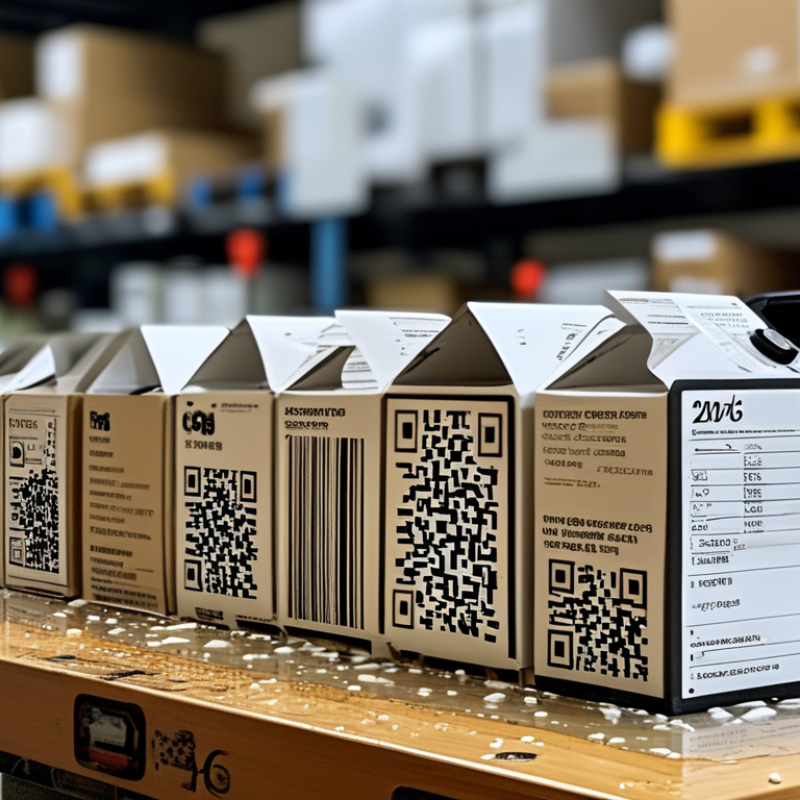
Barcode label sheets remain practical in 2026, especially for small warehouses, clinics, offices, and field teams. They combine printable layouts with low setup costs. GS1 estimates that more than six billion barcodes are scanned worldwide each day. That scale makes label accuracy a daily operational issue, not a minor design choice.
The best sheet depends on the scanning environment. Direct thermal sheets suit short-term shipping labels and produce sharp black marks without ink. Inkjet-compatible sheets help create colored identifiers, but moisture can weaken the image. Laser sheets usually provide stronger edge definition for dense text and small codes. Choose matte, adhesive stock when scanners face glare, dust, or uneven surfaces. Keep quiet zones clear. Small details matter.
ISO/IEC 15416 evaluates one-dimensional barcode quality, while ISO/IEC 15415 covers two-dimensional symbols. These standards examine contrast, defects, and readability. In practice, test labels after printing, not only on screen. A code that scans once may fail on a curved box. That happened during a real packing check.
GS1 guidance also stresses consistent data structures and verification. Use a 300 dpi printer when possible, and avoid stretching artwork inside spreadsheet templates. I still find universal
sheets unreliable. Paper texture, printer calibration, and storage humidity can change results. A small test batch is cheaper than relabeling hundreds of packages.
Main Types of Barcode Label Sheets
In 2026, barcode label sheets mainly vary by layout, adhesive, and face material. The main types include full-sheet, multi-label, perforated, and specialty material sheets. Full-sheet labels cover an entire Letter or A4 page. They work well for large barcodes, product panels, or custom layouts. You control the spacing. That flexibility matters.
Multi-label sheets contain several identical or different labels on one page. Common layouts include two, four, eight, or twelve labels. They suit inventory bins, retail packages, and small shipping items. Die-cut edges help users remove labels quickly.
Perforated sheets divide labels with tear lines instead of complete cuts. They can reduce waste, but rough edges may affect a scanner if the barcode crosses the perforation.
Adhesive is another important category. Permanent adhesive supports cartons, equipment tags, and long-term records. Removable adhesive suits temporary stock identification. It may still leave residue on dusty or textured surfaces. Materials include plain paper, synthetic film, and water-resistant stock. Paper is economical indoors. Synthetic sheets handle moisture and repeated handling better.
Match the sheet to your printer. Laser and inkjet surfaces are not always interchangeable. Test a small batch first. Print quality can change near the page edges. Keep the barcode dark, sharp, and unobstructed. I have found that the most attractive layout is not always the easiest to scan. A slightly larger label often performs better, though it uses more material. Check the actual package surface before choosing a fixed format.
Materials, Adhesives, and Sheet Compatibility
2026 Best Types of Barcode Label Sheets: Materials, Adhesives, and Sheet Compatibility
Barcode label sheets must match the product surface, printer, and scanning environment. Paper remains practical for cartons, folders, and indoor inventory. Synthetic films suit moisture, abrasion, and cold storage. Smithers’ 2024 market analysis projects printed labels will exceed 54 billion dollars globally by 2028. That growth increases pressure to select reliable sheet materials, not simply attractive ones.
Adhesive choice is equally important. Permanent acrylic adhesive generally performs well on clean cardboard, coated metal, and plastic. Removable adhesive suits temporary assets, but residue can still appear after heat exposure. FINAT’s 2024 European label statistics identify self-adhesive labels as a major production category, reflecting their operational flexibility. However, a strong adhesive cannot repair a dusty or oily surface. Clean the area first.
Printer compatibility deserves a physical test. Check sheet thickness, edge construction, and laser heat tolerance before purchasing large quantities. Inkjet printers often need a coated surface for sharp black bars. Laser printers can curl thin synthetic sheets under heat. I have seen excellent labels fail because the sheet warped near the fuser. Small trials matter. Test scanning at different angles, after rubbing, and after refrigeration. A slightly wider quiet zone may improve reliability, although it uses more material. Some recommendations remain too generic. Real surfaces, storage conditions, and handling habits should decide the final specification.
2026 Best Types of Barcode Label Sheets
Materials, adhesives, and sheet compatibility by typical use case
The chart compares common barcode label-sheet constructions. A value of 1 means the construction is generally suitable for the stated use case, while 0 means it is usually not the first choice. Paper labels are commonly used for indoor office identification, while synthetic films with permanent adhesives provide better resistance to moisture, abrasion, and cold conditions. Always verify printer, adhesive, and surface compatibility before production.
How to Choose the Best Barcode Label Sheets
Choosing the best barcode label sheets starts with the printer, not the barcode design. Check whether your printer uses laser or inkjet technology. A sheet made for the wrong printer may smear, curl, or produce weak edges. Clear edges matter because scanners read contrast, spacing, and bar width.
Think about the label’s working environment. Standard paper sheets suit indoor boxes, folders, and short-term inventory. Use synthetic sheets for moisture, dust, refrigeration, or frequent handling. Permanent adhesive works well on cardboard, but removable adhesive is safer for temporary storage. Measure the surface carefully. A label that overlaps a box seam can peel early.
I have found that small labels are not always efficient. They save space, yet they leave less room for readable text and scanning errors. Select a size that leaves a clean margin around the barcode. Test several sheets before ordering in bulk. Print a sample, apply it to the real surface, and scan it under normal lighting.
I once trusted a screen preview and missed a faint vertical streak. It caused inconsistent scans. That mistake was avoidable. Check sheet alignment, adhesive strength, print darkness, and barcode size with actual equipment. Availability also matters, since an unusual sheet size may create delays later.
Printing, Scanning, and Application Requirements
In 2026, barcode label sheets should be selected by workflow, not appearance. Laser-printable sheets suit offices needing crisp, batch-printed 1D codes. Inkjet-compatible sheets work better for variable color data, but ink absorption can weaken narrow bars. Thermal-transfer sheets provide stronger durability for cold storage and outdoor handling. Printer resolution matters. A minimum of 300 dpi is usually practical for standard labels.
Scanning depends on contrast, quiet zones, and size. GS1 guidance supports preparing businesses for wider 2D barcode use by 2027, so new sheet layouts should leave space for QR or DataMatrix symbols. The 2024 MHI Annual Industry Report found that 55% of supply-chain professionals are increasing technology investment. That supports more machine-readable labeling, but higher technology spending cannot fix poor placement. Curved cartons, glare, wrinkles, and low light still create failures.
Tips: Test three samples before ordering thousands. Scan at normal working distance. Rub labels with wet gloves. Check edges after refrigeration. Adhesive selection should match the surface, temperature, and application speed. Smooth cardboard is forgiving; dusty plastic is not. A label that prints perfectly may still peel during transport. I have seen teams overvalue printer speed and overlook scanner angle. That is an easy mistake. Review the actual application environment, then choose sheet size, adhesive, barcode type, and print method together. Sources: GS1 barcode guidance; 2024 MHI Annual Industry Report.