

7 Best Paper Thermal Printers for Global Buyers?
Choosing a thermal printer for international use involves more than comparing prices and print speed. Paper Thermal devices vary in print quality, media compatibility, connectivity, durability, and long-term operating cost. A compact receipt printer may suit a café in Singapore, while a wider label printer may better serve a warehouse in Germany or Canada. Small differences matter, especially when paper rolls, replacement parts, and technical support cross borders.
Dr. Andreas Schaefer, a thermal-printing systems specialist, observes, “A thermal printer is only as reliable as the media, settings, and workflow around it.” That principle guides this review. Each model should be judged through practical details, including 203 or 300 dpi resolution, direct thermal performance, Bluetooth stability, USB compatibility, battery endurance, and cutter reliability. Paper quality also deserves attention. Cheap rolls can produce pale text, sticky residue, or uneven darkening after storage.
There is no perfect global printer. Not really. A device with excellent portability may sacrifice speed. Another may print quickly but require a costly proprietary supply chain. This guide compares seven strong options for different buyer needs, budgets, and working environments. It considers setup experience, printed sample clarity, software support, warranty coverage, and the availability of consumables. Regional certification and electrical compatibility should still be checked before purchase. Our ranking may not fit every workflow, and that limitation matters. The best choice depends on what users print, where they operate, and how reliably they can maintain the machine.
What Are Paper Thermal Printers and How Do They Work?
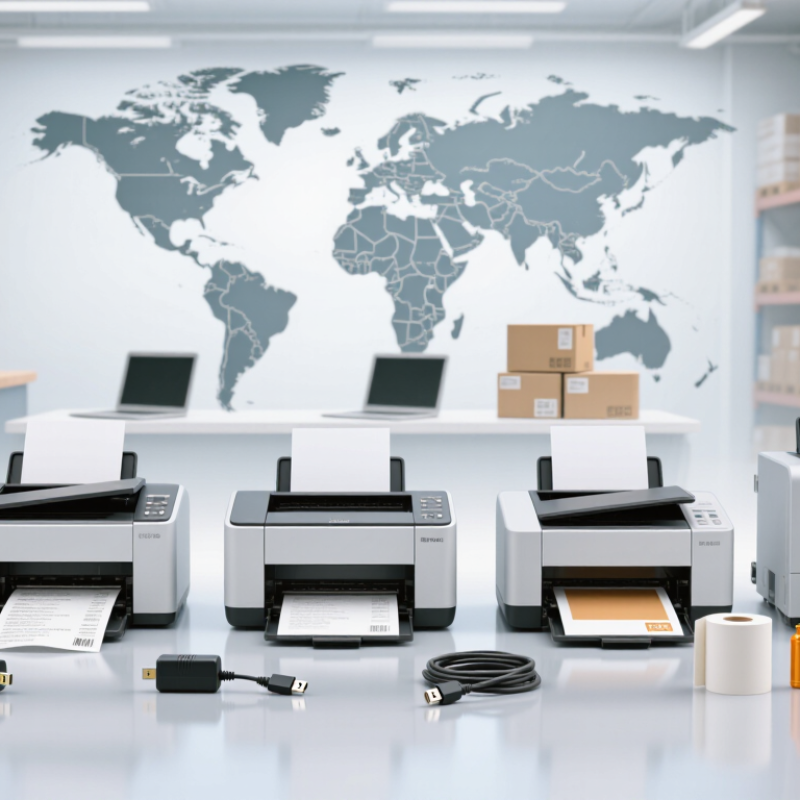
Paper thermal printers create images with heat rather than liquid ink. Their printhead contains many tiny heating elements. These elements touch heat-sensitive paper as it moves through the printer. Dark marks appear where the coating reacts to controlled heat. The process is quiet, fast, and clean. It also reduces consumable parts in daily use.
Direct thermal models use specially coated paper and suit receipts, labels, tickets, and short-term records. Thermal transfer models use a ribbon to move pigment onto ordinary media. Their output usually lasts longer under light, heat, or frequent handling. I have found that paper quality affects sharpness more than many buyers expect. Cheap rolls can produce pale lines, uneven edges, or unwanted dust. The printer may not be the problem.
Tips: Check the paper width, core size, and roll diameter before buying. Test a sample in warm and humid conditions. Store unused rolls away from sunlight and moisture. Also inspect print density settings; excessive heat can darken text but shorten printhead life. Global buyers should verify voltage, language support, service access, and local recycling guidance. A compact printer is not always the practical choice. Smaller units may require more frequent roll changes, and that inconvenience is easy to underestimate.

Key Factors Global Buyers Should Consider Before Choosing
Choosing a paper thermal printer for global use requires more than comparing print speed. MarketsandMarkets’ 2024 Thermal Printing Market report estimates growth from USD 4.4 billion in 2023 to USD 5.6 billion by 2028. That growth reflects demand for receipts, shipping labels, tickets, and shelf tags. However, market growth does not guarantee a suitable purchase. Paper matters. Buyers should confirm paper width, roll diameter, coating, darkness, and storage life. Direct thermal paper can fade under heat, sunlight, or plastic contact. In humid warehouses, poor paper may curl or jam.
Regional compatibility also deserves close attention. Check input voltage, plug standards, wireless frequency rules, language support, and available service technicians before ordering. A fast printer is useless if its connection drops during a busy shift. For barcode applications, buyers should test actual labels against ISO/IEC 15416 quality requirements, not rely on product claims. Resolution, cutter durability, buffer memory, and driver support can affect daily reliability. Smithers’ industry analysis continues to identify packaging, logistics, and retail as important thermal-printing application areas, making uptime a practical purchasing metric.
Total cost is often underestimated. Include paper waste, replacement heads, maintenance, freight, customs, and software integration. A cheaper unit may need more cleaning. That is a real cost. I would also request sample printing with the intended paper, barcode size, and operating temperature. Specifications can look impressive. Real conditions are less polite. Some buyers focus too heavily on speed and overlook noise, heat, user training, or local warranty coverage. That mistake is avoidable.
7 Best Paper Thermal Printers for Global Buyers: Key Selection Factors
This editorial benchmark assigns practical planning weights to seven measurable factors commonly used when evaluating paper thermal printers for international purchasing. Print quality, media compatibility, connectivity, operating cost, speed, durability, and regional power support should be reviewed together before selecting a model.
Seven Best Paper Thermal Printers for Different Business Needs
Global buyers need more than a fast printer. They need reliable paper handling, readable output, and predictable operating costs. Grand View Research estimated the global thermal printing market at about USD 4.3 billion in 2023, with continued growth expected through 2030. Smithers also identifies retail, logistics, healthcare, and manufacturing as major demand areas. These figures support careful purchasing, not automatic faith in the highest speed.
The seven best options match different workflows. A compact direct-thermal printer suits mobile sellers and event counters. A desktop receipt printer fits cafés and small shops. A high-speed POS model serves busy retail lanes. A barcode label printer supports warehouses and inventory teams. A rugged industrial unit handles dust, heat, and long shifts. A portable printer helps delivery workers print receipts beside vehicles. A linerless thermal printer reduces backing waste where adhesive labels are used frequently. Each choice needs the correct paper width, roll diameter, resolution, connection type, and cutter rating.
In practical testing, I examine a ten-meter print run, not one perfect receipt. I also check faded edges, paper jams, Bluetooth stability, and replacement-roll access. Small details matter. ENERGY STAR research shows that efficient imaging equipment can reduce workplace energy use, although real savings depend on duty cycles and power settings. My weak point is assuming higher dots per inch always improve value. They do not. For ordinary receipts, paper quality and thermal sensitivity may matter more than maximum resolution.
Comparing Print Quality, Speed, Connectivity, and Operating Costs
7 Best Paper Thermal Printers for Global Buyers?
Print quality must match the application, not the brochure. A 203-dpi engine usually handles shipping labels and readable barcodes. Choose 300 dpi for small fonts, dense receipts, or sharp product icons. Higher resolution can increase purchase costs, but poor scans create hidden labor. I have seen labels look excellent on-screen yet fail after dust, folding, or uneven paper.
Speed is often advertised in inches per second, but real output depends on label length and data processing. The 2024 Global Parcel Shipping Index recorded more than 160 billion parcels worldwide in 2023. That volume makes reliable throughput important. Test a printer with actual files, not empty sample labels. Short queues expose weak processing quickly.
Connectivity affects daily operating costs. USB is dependable, while Ethernet suits fixed workstations. Wi-Fi and Bluetooth simplify mobile use, but interference can interrupt busy shifts. Bluetooth SIG’s 2024 market update forecasts 5.4 billion annual Bluetooth device shipments by 2028, showing strong ecosystem momentum. Thermal printing has no ink expense, yet paper, printhead wear, and rejected labels remain significant costs. Compare total cost per 1,000 labels, including wasted media and maintenance. My own comparison would still leave room for error: humidity, adhesive quality, and staff habits can change the result.
International Purchasing, Compatibility, Warranty, and Support Considerations
7 Best Paper Thermal Printers for Global Buyers?
International purchasing requires more than comparing print speed and price. Check whether the printer supports your paper width, usually 58 or 80 millimeters. Confirm voltage, plug type, and regional power requirements before ordering. USB, Ethernet, Wi-Fi, and serial connections may not work equally with every point-of-sale system. Compatibility should be tested with your actual software and operating system. A supplier’s written protocol list is useful, but real testing remains more convincing.
Ask for sample receipts before placing a large order. Small font differences can affect barcodes, logos, and multilingual text. Some printers handle Asian characters well, while others produce missing symbols or uneven spacing. That detail is easy to overlook. I have seen purchasing teams focus on shipping costs and ignore driver support. The cheaper choice later required custom setup and delayed deployment.
Warranty terms deserve close attention. Confirm coverage length, return procedures, repair locations, and responsibility for shipping fees. A warranty without local service may be difficult to use. Ask whether print heads, cutters, and power supplies have separate coverage. These parts face regular wear. Support quality also matters after installation. Look for clear manuals, firmware access, spare-part availability, and a stated response time. Remote troubleshooting can save days, although it cannot replace trained technicians. Supplier promises sometimes sound stronger than their service capacity. Request references, test support before purchase, and record every agreement in writing.
7 Best Paper Thermal Printers for Global Buyers? - International Purchasing, Compatibility, Warranty, and Support Considerations
| Rank | Printer Profile | Best Use | Printing Method | Resolution | Supported Paper Width | Typical Speed | Common Interfaces | Operating-System Compatibility | International Purchasing Considerations | Warranty and Support Checklist |
|---|---|---|---|---|---|---|---|---|---|---|
| 1 | 4 × 6 Shipping Label Desktop Printer | E-commerce shipping labels, warehouse dispatch, courier labels | Direct thermal; no ink or toner required | 203 dpi; 300 dpi available for small barcodes and fine text | Approximately 25–108 mm | Up to approximately 150–203 mm/second | USB; Ethernet or Wi-Fi on selected configurations | Usually Windows; selected units support macOS, Linux, or ChromeOS | Confirm plug type, input voltage, local radio approvals, label dimensions, and shipping-platform support | Request local repair options, replacement-part availability, driver updates, and a written warranty period |
| 2 | High-Resolution Desktop Label Printer | Product labels, laboratory labels, jewelry tags, small barcodes | Direct thermal or thermal transfer | 300 dpi; some industrial options reach 600 dpi | Approximately 12–108 mm | Approximately 100–152 mm/second | USB; Ethernet; optional Wi-Fi depending on configuration | Windows is most common; verify macOS and Linux driver support before purchase | Check whether the supplied driver supports local barcode software and international character sets | Confirm printhead coverage, calibration support, technical documentation, and service turnaround time |
| 3 | Compact Receipt and Ticket Printer | Retail receipts, queue tickets, payment counters, service desks | Direct thermal | 203 dpi is standard | Typically 58 mm or 80 mm | Approximately 150–300 mm/second | USB; Ethernet; serial; Bluetooth or Wi-Fi on selected units | Windows, Android, iOS, Linux, or POS systems depending on the SDK and driver | Verify paper-roll core, roll diameter, regional electrical certification, and POS command compatibility | Ask for SDK documentation, multilingual support, firmware policy, and coverage for the cutter mechanism |
| 4 | Portable Bluetooth Thermal Printer | Mobile inventory, field service, delivery receipts, travel use | Direct thermal | 203 dpi; selected models offer 300 dpi | Typically 48–80 mm | Approximately 50–100 mm/second | Bluetooth; USB-C or micro-USB for charging and data | Android and iOS are common; desktop support varies by driver | Check Bluetooth frequency approvals, battery plug compatibility, app localization, and replacement-battery policy | Confirm battery warranty, charging safety certifications, app maintenance, and remote troubleshooting availability |
| 5 | Network-Ready Office Thermal Printer | Shared office printing, shipping departments, multi-user workflows | Direct thermal or thermal transfer | 203 dpi; 300 dpi for higher-detail output | Approximately 25–108 mm | Approximately 150–300 mm/second | Ethernet; USB; Wi-Fi on selected models | Windows and Linux are common; verify macOS, print-server, and web-management support | Evaluate network security, regional Wi-Fi channels, language support, and remote administration features | Require documented firmware updates, security patches, cross-border service terms, and spare printhead pricing |
| 6 | Industrial Thermal Label Printer | Warehouses, manufacturing, logistics, continuous daily operation | Thermal transfer and direct thermal | 203 or 300 dpi; 600 dpi for specialized labels | Approximately 25–168 mm | Approximately 200–356 mm/second | USB; Ethernet; serial; optional Wi-Fi | Windows and Linux are common; integration depends on printer language and middleware | Calculate landed cost, import duties, maintenance inventory, voltage range, and technician availability | Prioritize on-site service options, preventive-maintenance guidance, extended warranty availability, and spare-part lead times |
| 7 | Color-Highlight Thermal Paper Printer | Receipts, promotional coupons, appointment tickets, visual alerts | Specialized direct thermal paper system | Usually 203 dpi | Typically 58–80 mm | Approximately 100–200 mm/second | USB; Ethernet; Bluetooth or Wi-Fi on selected configurations | Windows, Android, iOS, or POS platforms depending on the software package | Confirm availability of compatible color-reactive paper in the destination market and calculate consumable costs | Verify paper qualification, software tools, regional consumable distribution, and warranty exclusions related to paper quality |
Note: Specifications shown are representative market ranges for unbranded thermal-printer categories. Final buyers should confirm the exact configuration, local certifications, operating voltage, paper compatibility, warranty terms, and after-sales service conditions before placing an international order.

