

What Is A4 Adhesive Label Paper Used For?
A4 Adhesive Label Paper turns an ordinary A4 sheet into a practical surface for printing names, addresses, barcodes, and product information. It is commonly used in offices, small businesses, classrooms, and home workspaces. A sheet may contain several pre-cut labels or one continuous adhesive surface. Check the product format before designing, since margins and label spacing can vary.
Typical uses include filing folders, storage boxes, pantry containers, parcels, and retail packaging. A small business might print product names and batch details, while a household may label cables or school supplies. The paper works with many inkjet and laser printers, but compatibility is not universal. Follow the package instructions, and confirm that the sheet suits your printer type. A quick test helps.
Good results depend on more than the design. Select the correct label template, keep the sheet flat, and let printed ink dry before handling. In practice, printing one test page can reveal alignment problems before several sheets are used. It sounds simple, but a slightly misaligned layout can waste a full page. Adhesion also varies by surface; dusty, curved, damp, or textured materials may hold labels poorly. For long-term use, check the paper’s finish and adhesive details rather than assuming every label is waterproof or permanent. A4 Adhesive Label Paper makes labeling accessible and customizable, though choosing the right sheet matters as much as choosing the right words.
What A4 Adhesive Label Paper Is
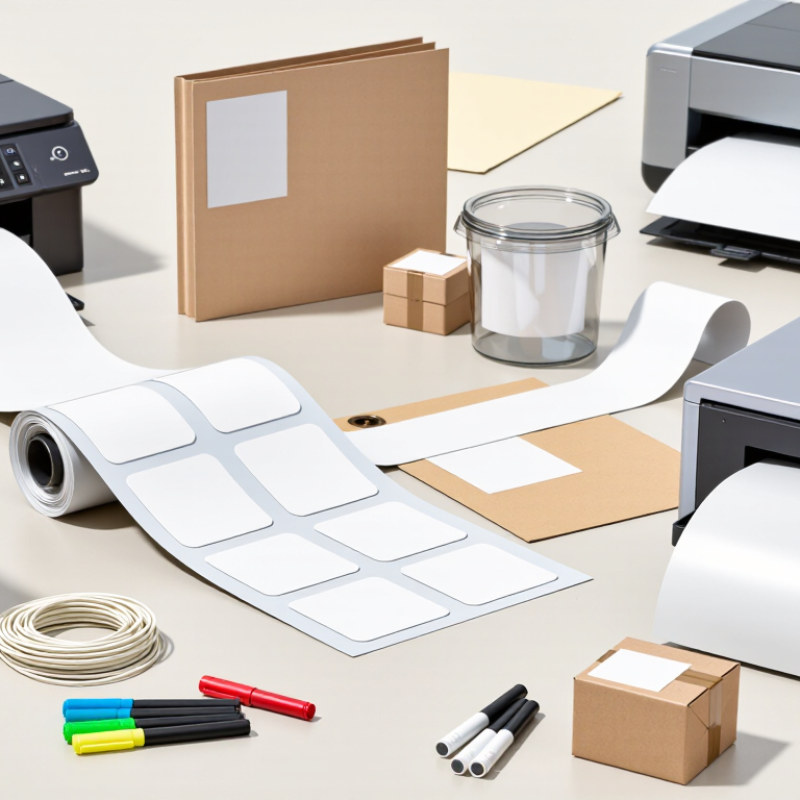
A4 adhesive label paper is a printable sheet measuring 210 by 297 millimetres. It has a paper face, a pressure-sensitive adhesive underneath, and a backing liner that protects the sticky surface. Peel off a label, and the liner remains behind. Simple, but the layers matter.
The face stock is the visible part. It may be matte, semi-gloss, or coated for sharper colour and text. Some sheets contain individual die-cut labels, while others have one continuous printable surface that can be trimmed by hand. The adhesive can bond to materials such as cardboard, glass, or plastic, though results vary with surface texture, dust, and moisture. A label on a clean, dry jar usually holds better than one placed over condensation.
A4 sheets fit many standard office printers, but not every label paper suits every machine. Check whether the sheet is intended for inkjet or laser printing, and follow the printer’s feed guidance. Heat, ink absorption, and label thickness can affect the result. Test one sheet first. It may seem fussy, yet curled corners or smudged text are annoying to fix after printing. Even careful users can misalign a sheet, so leave a small margin around important text. A4 adhesive label paper is a material format, not one fixed product specification.

How Its Sheet Format and Adhesive Work
A4 adhesive label paper combines a printable face sheet, pressure-sensitive adhesive, and a release liner. ISO 216:2007 sets A4 at 210 × 297 mm, giving each sheet a fixed layout area of about 0.062 square metres. That standard size suits many office printers and makes templates easy to share. A sheet might hold a grid of address labels, or fewer, larger product tags. Margins and printer feed tolerances affect the usable area, so the theoretical label count can disappoint in practice.
The adhesive bonds when pressure brings it into contact with a surface. Press each label firmly, especially around the edges. Dust, moisture, and textured packaging can weaken contact; cold surfaces may slow initial tack. FINAT’s Technical Handbook describes peel-adhesion testing under controlled conditions, highlighting why adhesive performance depends on test setup and dwell time. A lab result cannot guarantee the same hold on every box or jar. Small print runs are convenient. Yet labels may curl if the sheet is stored in heat or humidity, and that detail is easy to overlook. Check the paper and adhesive against the intended surface before printing a full batch.
| Common use | Typical label content | How the A4 sheet format helps | How the adhesive works | Practical considerations |
|---|---|---|---|---|
| Addressing and mailing | Recipient addresses, return addresses, and routing details | A4 sheets can hold multiple labels in a row-and-column layout, allowing several addresses to be printed together. | A pressure-sensitive adhesive bonds when the label is pressed onto a clean, dry envelope or parcel surface. | Choose a layout that matches the label template and printer settings; avoid placing labels across seams or folds. |
| Product identification | Product names, item codes, prices, or short descriptions | Sheets accommodate different label sizes, from compact identification labels to larger product information panels. | A permanent adhesive is commonly used when the label is intended to remain attached during ordinary handling. | Adhesion depends on the surface material, cleanliness, temperature, and label construction. |
| Barcodes and inventory | Barcodes, stock numbers, shelf identifiers, and asset references | Multiple labels can be printed in a consistent grid, supporting batch preparation and repeatable placement. | The adhesive keeps the printed label in position on packaging, bins, or other suitable surfaces. | Use a compatible printer and label surface, and keep barcode areas free from wrinkles, smudges, and obstructing edges. |
| Files and office organization | Folder names, archive references, dates, and category markers | A4 is a convenient sheet size for desktop printing and can be divided into several labels of the same or varied sizes. | Permanent or removable adhesive options are available; removability depends on the specific adhesive and the surface. | Test removable labels first, as residue or surface damage can vary with the material and how long the label remains attached. |
| Packaging and dispatch | Handling notes, contents, return details, or package identifiers | Sheet-fed printing is useful for preparing small or medium batches without a dedicated roll-label setup. | The label’s adhesive forms contact with the package surface after pressure is applied. | For textured, dusty, oily, cold, or curved surfaces, check that the chosen label material and adhesive are suitable. |
| Short-run signs and notices | Temporary instructions, shelf messages, or basic warnings | Different label dimensions can be arranged on an A4 sheet to suit the amount of text and available placement area. | Removable or repositionable options may be appropriate when the notice needs to come off later, subject to product specifications. | A4 adhesive label paper is not automatically weatherproof; outdoor use requires materials and adhesives rated for the conditions. |
Common Uses in Offices, Businesses, and Homes
In busy offices, A4 adhesive label paper helps organize files, folders, and shared equipment. A sheet can hold several labels, making it practical for marking archive boxes or sorting incoming paperwork. Staff can print names, dates, or department details and apply them where they are easy to read. Short labels work well.
Small businesses use A4 sheets for shelf labels, stock bins, and basic product information. On shelves, clear text helps staff find items without opening every box. A test print can prevent misaligned text, especially when a printer feeds sheets differently than expected. Check the printer settings and label-sheet instructions before printing a full batch.
At home, labels can identify pantry jars, storage boxes, chargers, and school supplies. A neat label on a cable can save time when several similar cords sit behind a desk. Keep surfaces clean and dry before applying labels. Adhesive may loosen on dusty, damp, or textured containers. One small frustration: labels can be hard to reposition once pressed down, so lining them up carefully matters.
Types of A4 Adhesive Label Paper
A4 adhesive label paper comes in several types, and the right choice depends on the surface, printer, and expected handling. Matte paper labels have a smooth, low-glare finish. They suit address labels, storage bins, and product information that needs clear handwriting. Glossy paper gives colors a brighter look, but pen ink may smudge unless it is compatible with the coating. Small detail, big difference.
Adhesive strength is another useful distinction. Permanent labels hold firmly on clean cardboard, jars, and office folders, while removable versions are designed to peel away more easily. “Removable” does not always mean residue-free on every surface; heat, time, and plastic texture can change the result. For damp areas or outdoor use, synthetic label sheets made from materials such as polypropylene resist moisture better than ordinary paper. They may cost more, and some need specific printer settings. Always check whether the sheet is made for inkjet or laser printing. An incompatible coating can smear or affect printer rollers. Before printing a full page, test one sheet and let the ink dry. It is a small step, but often worth it. One type rarely fits every job. A label that looks perfect on screen may still curl on a curved bottle or lift from a dusty box. Some trial and error is normal.
What Is A4 Adhesive Label Paper Used For?
Common A4 sheet layouts and typical applications
A4 adhesive label sheets are used for mailing, filing, product identification, and inventory. The chart shows representative label counts per sheet; exact label sizes and layouts vary. Choose label stock and adhesive to suit the surface and printer.
How to Print and Apply A4 Labels
A4 adhesive label paper is useful for organizing files, packaging, storage boxes, and mail. To print clean labels, check whether the sheets are made for inkjet or laser printers; using the wrong type can cause smudging or heat damage. Set the page size to A4, choose the correct label layout, and confirm the paper orientation before printing. A mismatch of only a few millimeters can shift every label.
Print a test on plain paper first. Hold it behind the label sheet against a light to check alignment. Then load one adhesive sheet according to your printer’s feed instructions, with the printable side facing the correct direction. Use the paper setting recommended by the label maker, and let printed ink dry before handling. It may still smear. Apply labels to a clean, dry surface: peel slowly, align one edge, then smooth from the center outward to reduce bubbles and wrinkles. I sometimes find the first sheet less perfect than expected, so leave room for adjustment.
Tips: Keep unused sheets flat and dry. Avoid touching the adhesive, and do not pull a partly jammed sheet through the printer; follow the printer’s clearing instructions instead.

